

Shipments
A shipment is a batch of the order’s units travelling together. Click Add shipment, choose how many of each unshipped line are in it, and add tracking number, carrier and expected arrival if you have them. Marking the shipment as in transit is what makes those units show as incoming with their own ETA. An order can have several shipments - useful when a supplier splits delivery. Each shows its status: In transit, Partially received, or Received. You can edit a shipment, record its shipment cost, and print a packing slip for it. The order’s own product list carries In transit and Received columns beside the quantity, so you can read how far each line has got without adding up the shipments underneath it. Once every ordered unit is on a shipment there’s nothing left to ship, and Add shipment goes away until you raise a quantity.A shipment needs a destination on the purchase order - that’s the location the stock arrives at. Set it in the order details before adding a shipment.
Receiving items
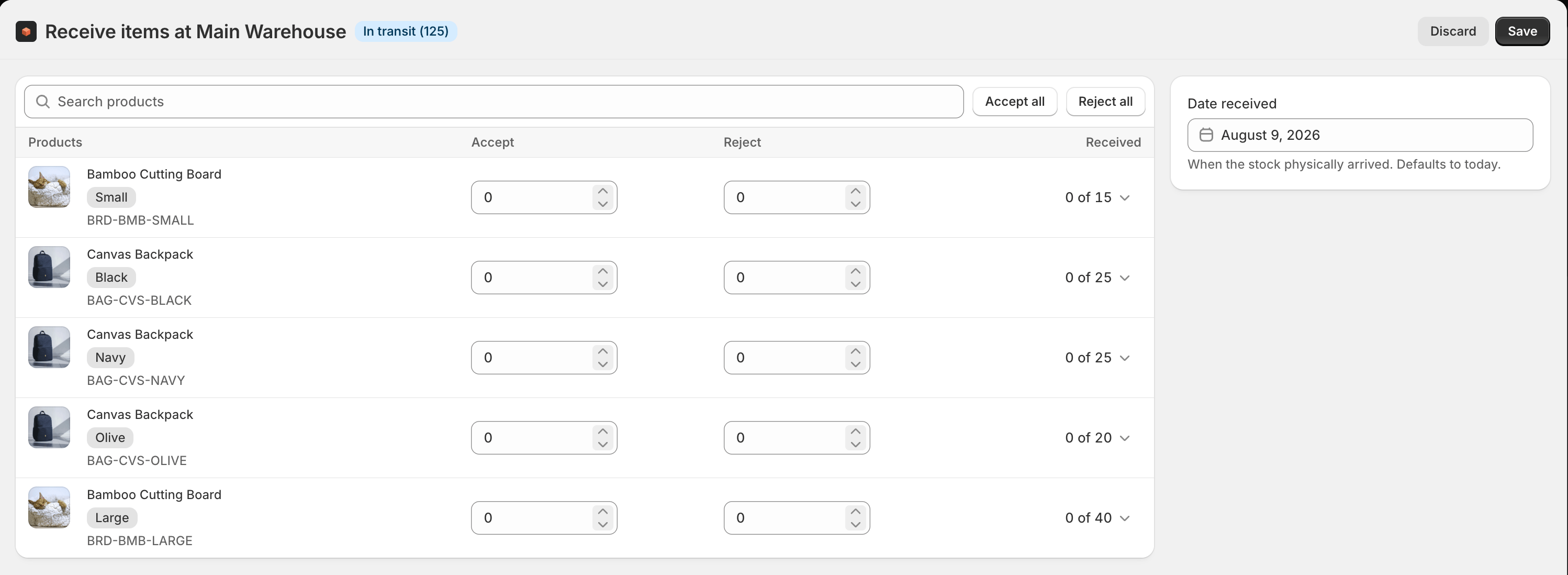
When a shipment arrives, choose Receive items. On the receive screen you work line by line at the destination location:- Accept the units that arrived in good order.
- Reject any that were damaged or short.
- Use Accept all or Reject all to handle a clean delivery in one go.
If the destination is set to Record in Stockful only (see record-only receiving), receiving records the receipt, costs and history in Stockful without changing Shopify stock - for locations where a 3PL or another app owns the Shopify balance. The receive screen shows a notice when that’s the case.
Receipts
Each time you receive, Stockful records a receipt - a permanent line showing how many units were accepted and rejected, who received them, and the landed cost applied. Receipts are where your cost history comes from; see costs and landed cost.Correcting a receipt
Mistakes happen, so a receipt can be corrected rather than lived with. On an order received through Stockful, open the shipment and choose Manage received items to adjust the accepted and rejected quantities. On an order brought in from Stocky, which has no shipment attached, use Correct received quantities on the receipts panel instead. Either way the correction is recorded as its own receipt rather than rewriting the original, so the history of what happened stays intact.Reversing a receipt
Received the wrong order, or booked in a delivery that hadn’t actually arrived? Open the receipt on the Receipts panel and choose Reverse receipt. The accepted units come back out of stock at the destination, the shipment goes back to In transit with its units ready to receive again, and the order reopens for whatever is now outstanding. Landed cost is unwound too, so the product’s average cost returns to what it was. Each receipt shows how much of it can still be reversed - Fully reversed, or 4 of 12 still reversible when you’ve only taken part of it back. You can reverse a whole receipt or name the lines and quantities.The receipt isn’t deleted. It stays on the order with the reversal recorded beside it, so the timeline shows what arrived and what was taken back as two separate events. Shopify has no way to un-receive a shipment, so a receipt is a permanent fact and a reversal is the correction to it - the same way a credit note works rather than a rubbed-out line.