

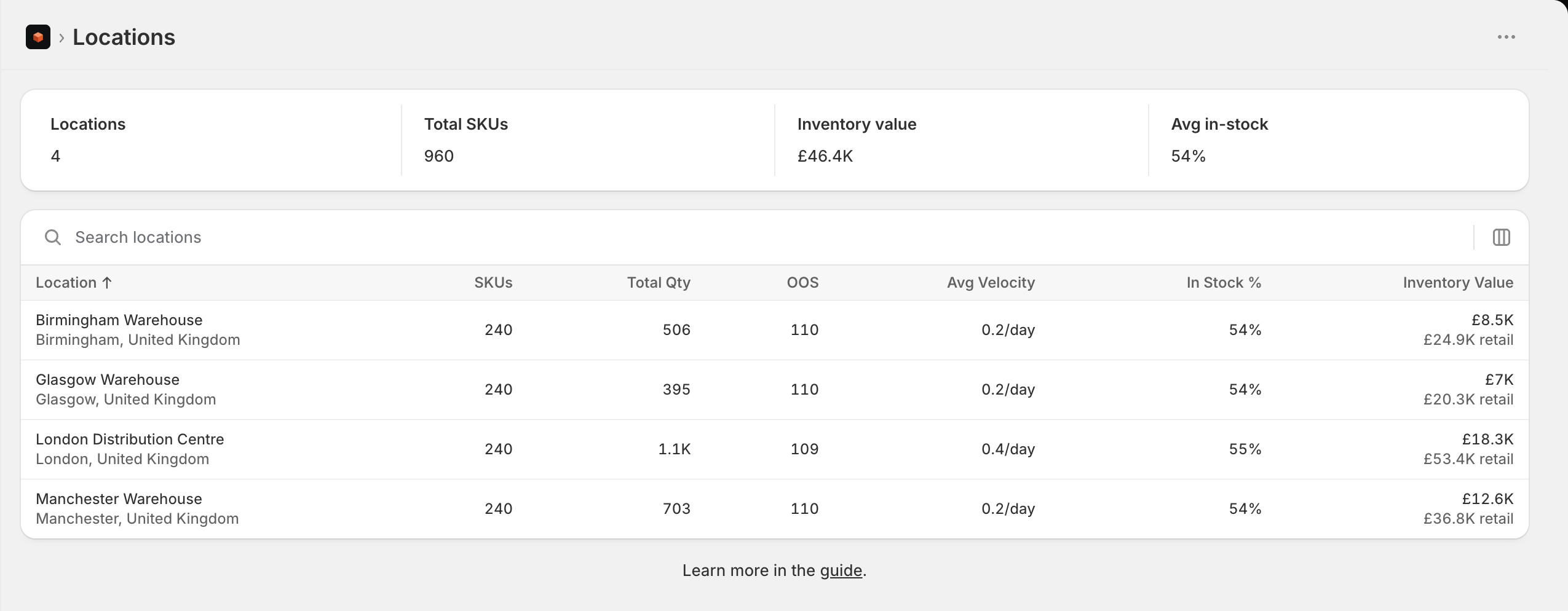
Location list
A single location
- Stock levels charts the location over time. The gear picks what to plot - units on hand, value at cost, value at retail, SKUs stocked, SKUs out of stock - and over what period. Pick more than one and they share the chart, with counts and money on their own axes.
- Incoming stock lists what is on its way, soonest first, and flags anything arriving after its SKU is due to run out.
- Counts and adjustments is the record of what people have done to the place: stocktakes, write-offs and corrections, with the net units and value each one moved.
Editing a location
Choose Edit details on a location’s page to change its name, address, phone number and whether Shopify fulfils online orders from it, alongside the settings Stockful owns - its type, how receiving behaves and its days of cover. Everything saves in one go, and the Shopify-owned fields are written straight to Shopify.Location settings
The three settings Stockful owns - type, receiving and days of cover - are set from the Locations page. Choose Location settings on a row’s menu for one location, or tick several rows and use Location settings on the selection bar to give them all the same value. In the selection form, anything you leave blank stays as it is at each location, so putting seven stores on 21 days of cover leaves the hub’s type alone. Receiving and days of cover are also available as columns on the Locations page, under Edit columns.A location’s address is the delivery address printed on purchase orders and packing slips you send to suppliers, so it is worth getting right even for a location you never ship from yourself.
Choosing which locations to track
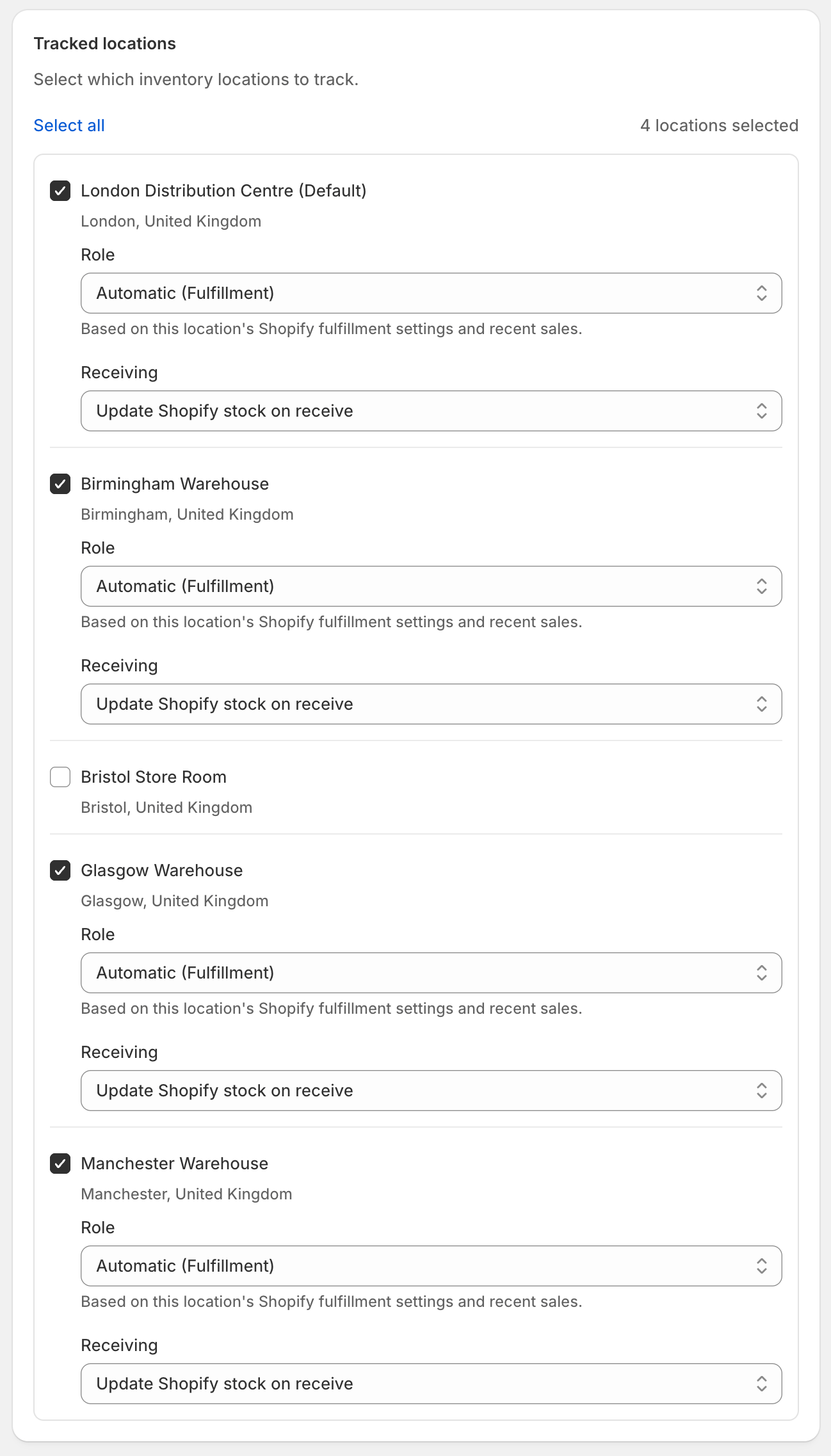
Only tracked locations count toward your plan limit. If you have locations you don’t need to monitor, leave them disabled to save on your plan allocation.
Warehouse / hub locations
If you run a central warehouse that mostly buys from suppliers and restocks your other locations (rather than fulfilling customers directly), Stockful treats it differently from a fulfillment location:- Demand at the hub is measured against the total demand of every location it supplies, so reorder suggestions at the hub reflect what your whole business sells - not the near-zero direct sales at the warehouse itself.
- Reorder points at the hub are sized for your supplier lead time, since the hub is where supplier orders happen.
- Hub stock is excluded from dead-stock and clearance reports (it isn’t stale just because it doesn’t sell directly), and transfer suggestions prefer the hub as the source when a store runs low.
Days of cover
Each location also has its own days of cover, set next to its type: how many days of sales it holds before stock counts as surplus, and what a transfer tops it up to. Leave it blank for the 30-day default. A warehouse that should sit deeper than its stores, say 45 days at the hub and 21 at each store, sets the two numbers and transfer suggestions work to them.Record-only receiving
By default, receiving a purchase order in Stockful lands the accepted units in Shopify at the destination location. That’s usually what you want - but if a location’s Shopify stock is managed by something else, such as a 3PL’s warehouse system or a marketplace sync app, Stockful writing there too would count the same arrival twice. For those locations, set Receiving to Record in Stockful only in the location’s settings. Purchase orders destined for that location still work exactly the same way - shipments, incoming stock, receipts, landed costs and reorder maths all behave as normal - but receiving never changes Shopify stock. The external system stays the owner of the location’s balance, and Stockful picks the numbers up from Shopify as it always does.The setting applies per location and only to purchase order receiving. Stock adjustments and counts are deliberate corrections, so they still write to Shopify wherever you make them.