

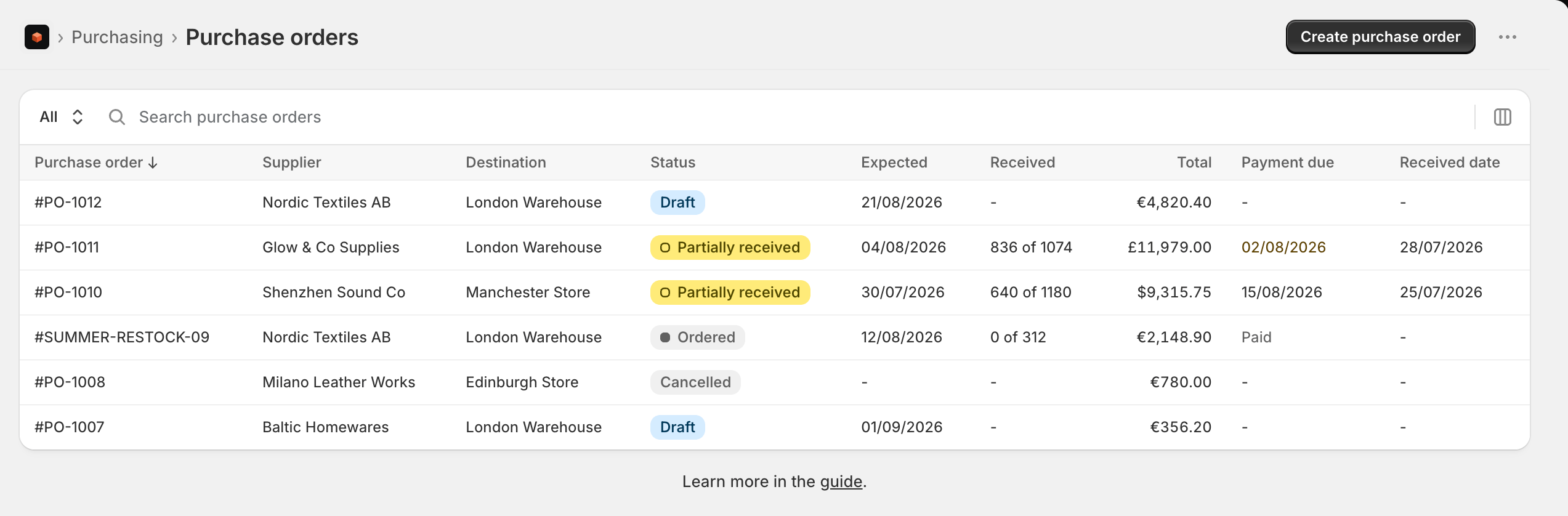
The purchase orders list
Open Purchase orders under Purchasing. The list has tabs to focus on a status:- All - every purchase order, including archived ones.
- Draft - built but not yet ordered. Fully editable, and hasn’t touched your inventory.
- Ordered - placed with the supplier and awaiting stock. Still editable, within what’s already shipped or received.
- Received - all the stock has arrived.
- Cancelled - orders you called off.
How a purchase order flows
Creating a purchase order
Start from a reorder recommendation or from scratch: pick a supplier and destination, add products, set costs and currency.
Sending to a supplier
Mark it ordered, export a PDF, or email the order straight to your supplier.
Receiving stock
Log shipments in transit and receive units as they arrive - in full or partially - then close the order.
Costs and landed cost
See how unit costs, shipping and fees combine into the landed cost that sets your margins.
Managing purchase orders
Cancel, duplicate, archive, tag, and track payment across your orders.
Automatic restocking
Have Stockful raise the drafts on a schedule from your reorder recommendations, and tell you what it raised.