

Unit cost
Every line has a unit cost from its cost source - the supplier’s price list, the product’s cost per item, or a custom cost for this order. The line subtotals roll up into the order’s subtotal.Adjustments
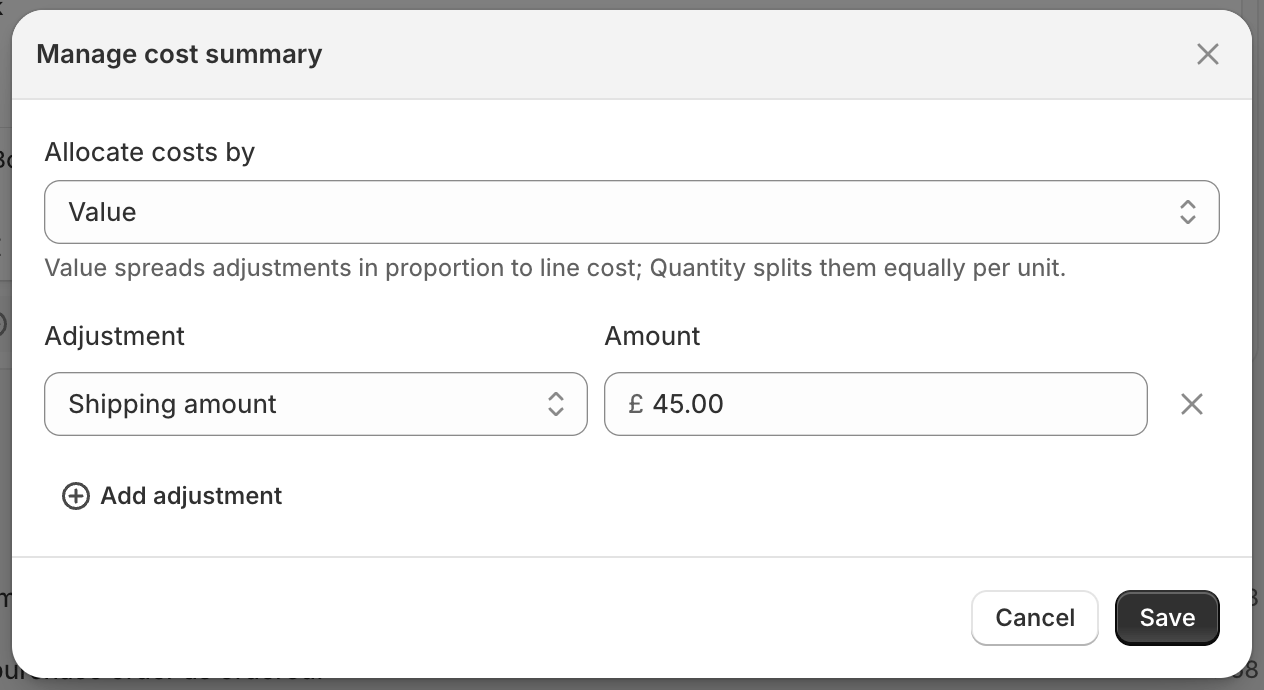
Costs beyond the goods themselves go in as adjustments on the cost summary. Each has a type:- Shipping and Freight fee
- Customs duties and Tariffs
- Insurance, Rush fee, Surcharge, Foreign transaction fee
- Discount (a negative adjustment) and Other
How adjustments are spread
Adjustments are shared across the order’s units to give each one its landed cost. Choose Allocate costs by:- Value - spreads each adjustment in proportion to line cost, so more expensive items carry more of it.
- Quantity - splits each adjustment equally per unit.
Costs that arrive after receiving
A freight or duty invoice often turns up after the stock has been received, when the order’s costs are already locked. Add it as a cost adjustment instead: from the order, choose More actions > Add a late cost. Stockful folds it into the average cost of the stock you still hold, and the order’s timeline links to it.Multi-currency
When a supplier bills in another currency, you enter costs in their currency and Stockful converts to your store currency at the order’s exchange rate. Everything downstream - landed cost, cost history, margins - is stored in your store currency, so reporting stays consistent no matter who you buy from.Cost history and average cost
When you receive stock, each accepted line writes a cost history entry at its landed cost. That entry updates the product’s average cost, weighted against the stock you still hold: what arrives is blended with what is already on the shelf, in proportion to the quantity of each. Your average cost is what drives margin and profit figures across Stockful, so accurate landed costs here keep your reporting honest.Costs are only committed to your average cost when stock is received, not when the order is created or sent - so a draft or an in-transit shipment never moves your numbers.
If Stockful hasn’t recorded an average cost for a product yet, the stock you already hold is valued at its cost per item in Shopify, so the first delivery blends with that rather than replacing it.
If you’re out of stock when a delivery lands, there’s nothing for the new units to blend with, so the receipt sets your average cost rather than moving it part of the way. A product you’ve sold through can therefore jump straight to its new landed cost, which is a bigger move than you might expect.